Brisk features and workflows

Follow the work from the counter to the records.

See how Brisk connects customer pricing, sales, inventory and accounting. Explore service, manufacturing and reporting around the work your business needs to handle.

Start with a normal transaction, then look at an exception your staff handle today.

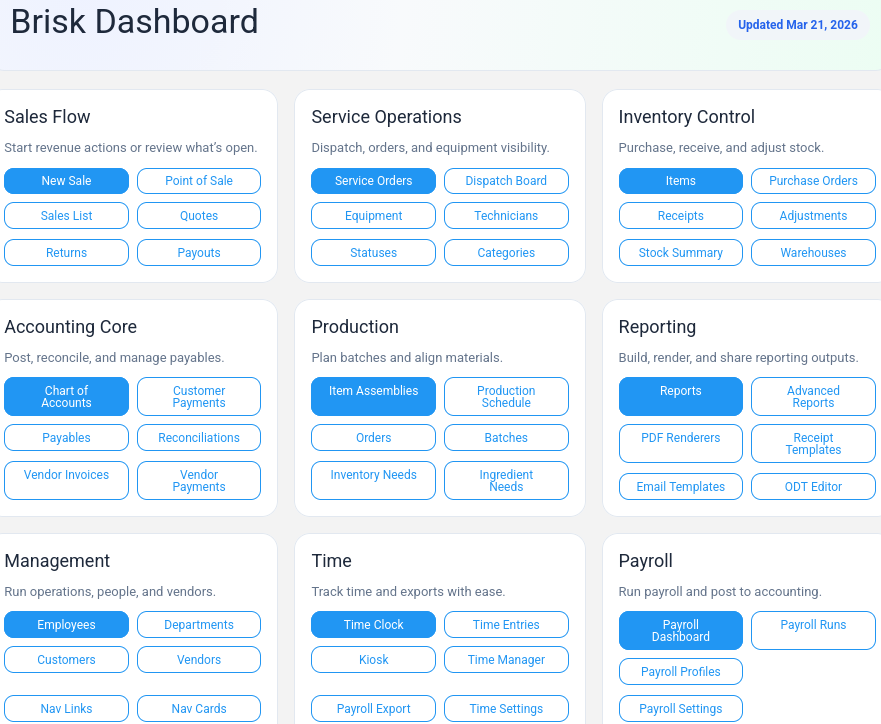
Brisk dashboard showing sales, service, inventory, accounting, production, and reporting in one connected system

Sales workflow

Select a customer. Check their price. Complete the sale.

Brisk uses configured customer pricing on the sale. The ticket, stock records and accounting stay in the same application, so staff can follow the transaction without re-entering it into a separate bookkeeping system.

  • Select the customer and review the configured price.
  • Enter the items, quantities and applicable tax setup.
  • Follow the recorded sale into inventory and accounting.

Product workflow

Select the customer. Apply their configured price.

See the same demo item change from $18.50 to $16.75 when a wholesale customer is selected. Brisk uses the pricing configured for that customer.

Customer pricing example. Demo data; silent video.

Read the workflow
  1. A demo sale begins with the item priced at $18.50.
  2. A wholesale demo customer is selected on the same unposted sale.
  3. The configured customer price changes to $16.75.
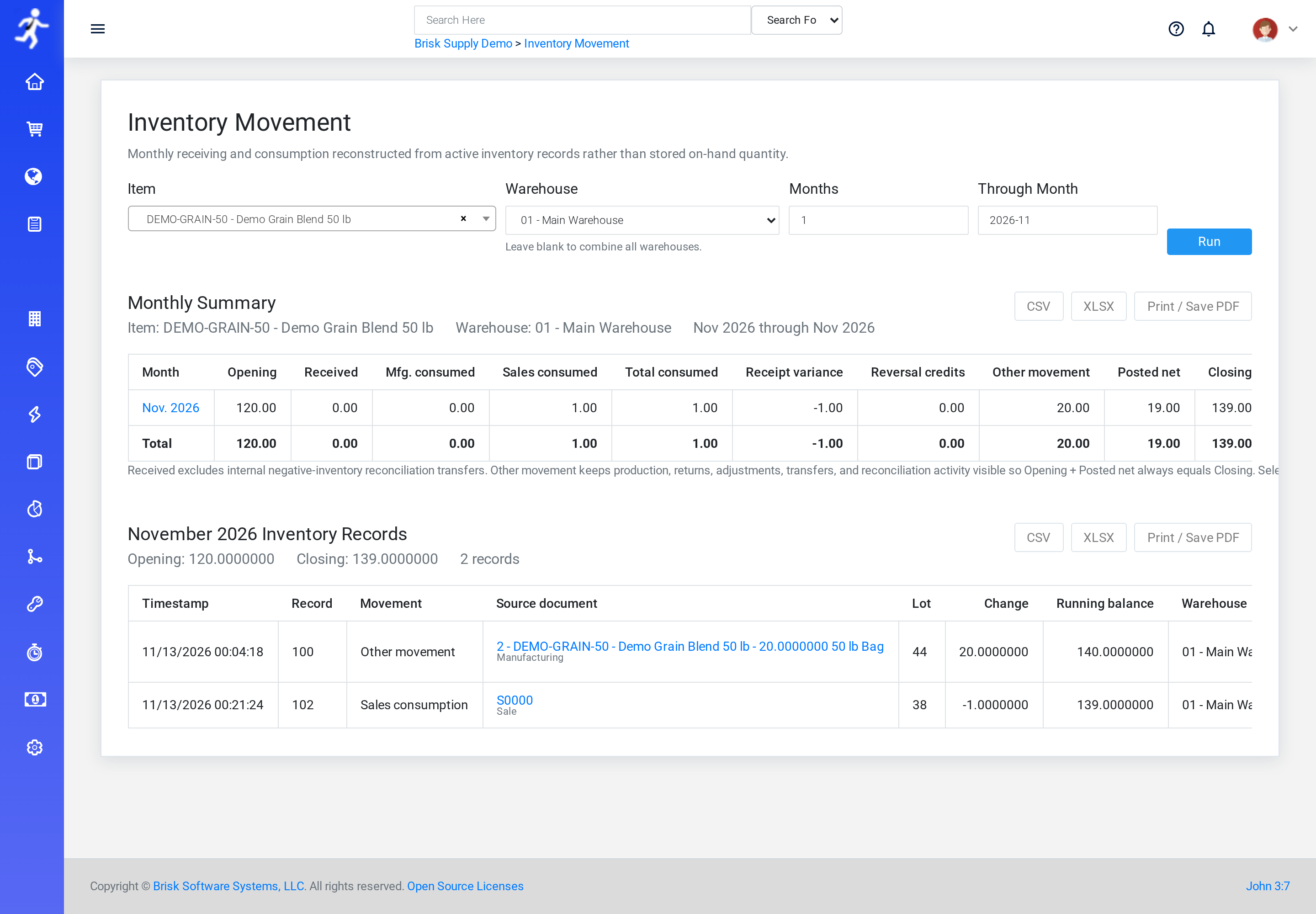
Demo inventory movement detail showing stock changes and their source records
Demo data. Review a demo item's stock changes and their source records. Open the full-size screen.

Inventory visibility

Trace stock movement back to the work.

Review stock quantities, receipts and adjustments in the same system used for sales. Use a familiar item to see how a transaction is recorded and how staff can investigate a difference.

  • Review quantities for an item your team handles.
  • Follow a sale, receipt or adjustment into its stock records.
  • Check the information available when investigating a difference.

Service & dispatch operations

Keep jobs, schedules, and teams organized in one place.

Run your day from one place instead of juggling tools.

Manage service work, dispatching, technician schedules, and day-to-day field coordination from a connected system instead of separate boards, notes, and software.

  • Dispatch and scheduling visibility inside the platform
  • Operational coordination tied to the rest of the business
  • Better support for service-driven and field-based workflows
Brisk dispatch board
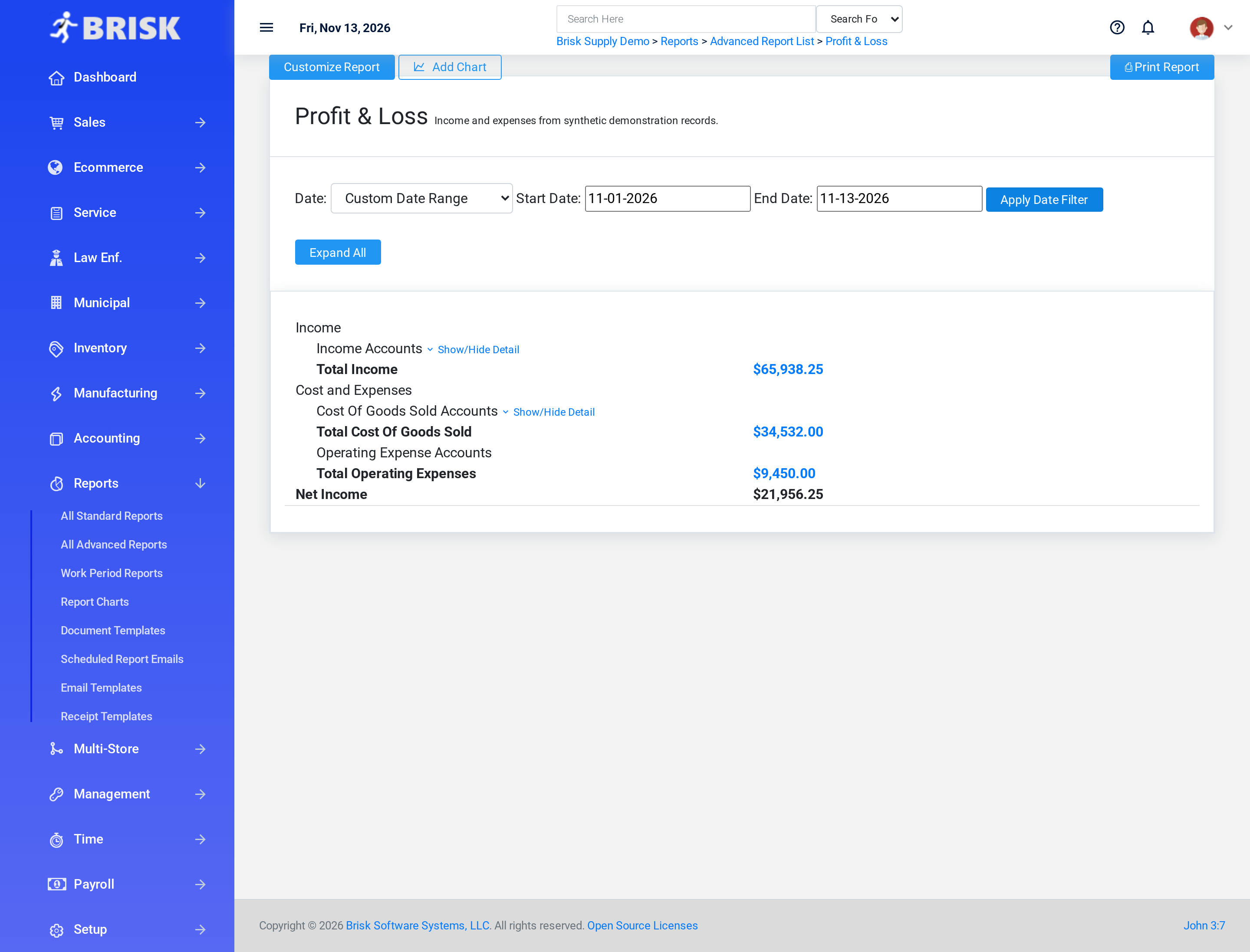
Demo profit-and-loss summary for a selected reporting period
Demo data. A demo profit-and-loss summary with income, costs, expenses and net income for the selected period. Open the full-size screen.

Financial reporting

Follow the sale into your reports.

Review sales and financial reports alongside the underlying transaction. See where the amounts come from and which reports fit the decisions you make.

  • Find the transaction behind a reported amount.
  • Review the sales and financial information your manager uses.
  • Discuss any reporting requirements that need configuration or separate work.

Product workflow

Record production and see the ingredient stock changes.

Record a 20-bag demo batch, then follow its stock records: 20 bags of finished feed added, 700 lb of corn used and 300 lb of soy used.

Recorded production and linked stock movements. Demo data; silent video.

Read the workflow
  1. A populated demo production schedule opens with a 20-bag finished-feed batch.
  2. The manual production workflow records the completed quantity.
  3. The linked stock records add 20 bags of finished feed, use 700 lb of corn and use 300 lb of soy.

Product workflow

Record a scrap purchase, cash payout and stock.

Follow a demo aluminum purchase from weight and agreed price to a recorded cash payout and the matching stock receipt. The example records 300 lb net at $0.65 per pound and a $195 cash payout.

Scrap purchase and recorded cash payout. Demo data; silent video.

Read the workflow
  1. A synthetic aluminum purchase records 320 lb gross and 20 lb tare, for 300 lb net at $0.65 per pound.
  2. Brisk records the local $195 cash payout; the clip does not show a bank or card payment being executed.
  3. The matching receipt adds 300 lb to the demo aluminum stock.
  4. The phone-oriented edit is a close-up of the same desktop workflow, not evidence of native-mobile use.
Evaluate the workflow

Check the steps your business needs to handle.

Use the same representative tasks when evaluating software. Include the exceptions that matter to your staff, as well as an ordinary transaction.

A normal sale

Find familiar items, enter the quantities and complete the transaction.

A customer exception

Select a customer with a different pricing arrangement and review the result.

The stock record

Follow a sale or stock receipt through the quantities and records it affects.

The financial result

Find the sale in the accounting and reporting records your business relies on.

Bring a task from your business.

Walk through a normal transaction and an exception you currently handle by hand. We will discuss where Brisk fits and what setup work your operation needs.

Image preview

Loading image…