
Feed stores and small feed mills

Feed store software that fits the counter and the mill.

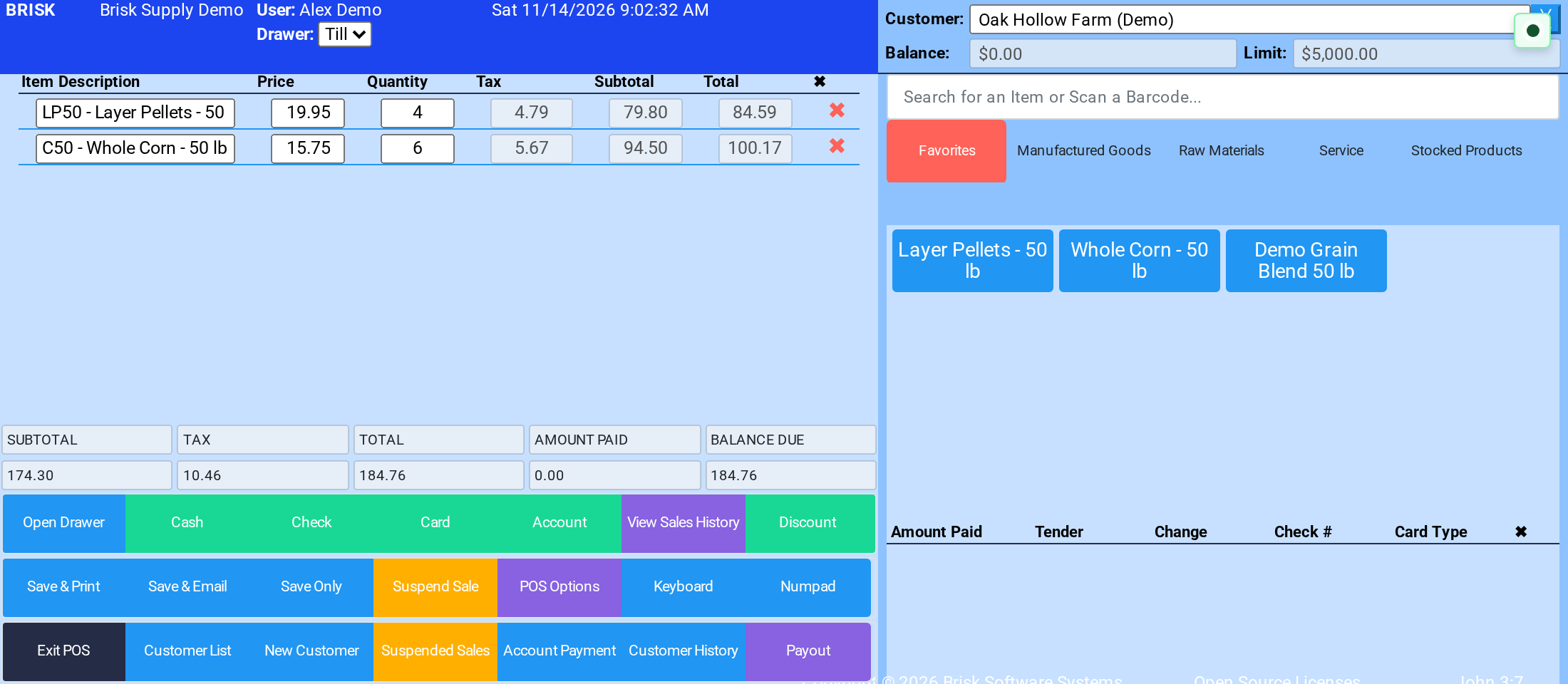
Brisk point-of-sale screen with Oak Hollow Farm selected and Layer Pellets and Whole Corn on the ticket
A feed-store sale in Brisk. Demo data shown. Open the full-size screen.

Handle retail, wholesale, and intercompany pricing, configurable sales tax rules, and feed manufacturing in Brisk. Set up the details around your operation, while giving counter staff a straightforward way to serve customers.

Get clear answers and practical guidance from someone who knows Brisk and understands the workflows the product supports.

Review the workflows that affect the ticket, the customer, and the ingredients behind each manufactured product.

Customer-specific pricing

One product. The price for the selected customer.

The same feed may have a retail price, a wholesale price, and an intercompany price. Brisk associates the configured pricing with customer records and applies the appropriate price when staff select the customer on a point-of-sale ticket.

Staff can serve different customer types without remembering which of those configured prices to enter. The customer-pricing demo below demonstrates only the retail-to-wholesale price change; it does not show intercompany pricing or tax configuration.

Illustrative example amounts

Retail customer
Farm Blend 16% — $18.50
Wholesale customer
Farm Blend 16% — $16.75
Intercompany customer
Farm Blend 16% — $15.90

These fictional amounts show possible arrangements, not actual prices or a three-price limit.

Product workflow

Select the customer. Apply their configured price.

See the same demo item change from $18.50 to $16.75 when a wholesale customer is selected. Brisk uses the pricing configured for that customer.

Customer pricing example. Demo data; silent video.

Read the workflow
  1. A demo sale begins with the item priced at $18.50.
  2. A wholesale demo customer is selected on the same unposted sale.
  3. The configured customer price changes to $16.75.
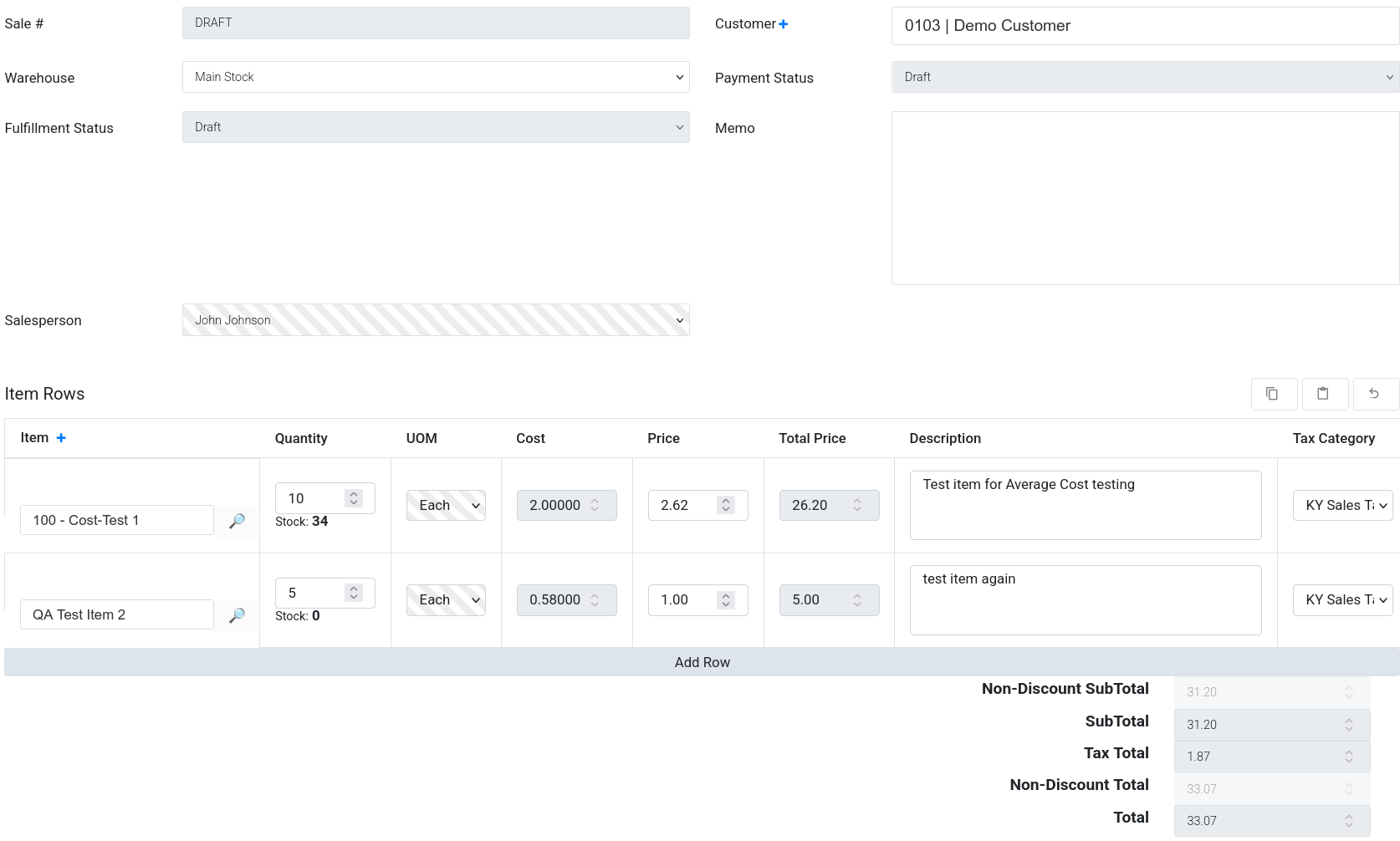
Brisk sale screen with a demo customer, line prices, tax categories, and tax total
An authentic Brisk transaction screen showing item-level tax-category fields and a calculated tax total. Demo data shown. View full-size screen

Transaction tax setup

Tax rules that consider the product and customer.

A feed-store ticket can include products with different tax treatment. Brisk supports configured product and customer tax rules, including eligible agricultural and resale purchases, so staff can apply the setup appropriate to the transaction.

Tax treatment depends on the applicable rules, eligible use, and proper setup and documentation.

Price classification

Determines which configured price applies to the selected customer.

Tax eligibility

Depends on the product, customer, use, applicable rules, setup, and documentation—not on a wholesale price alone.

Feed production records

Record feed production and ingredient use.

Store the ingredient list for a manufactured product, then record production through Brisk’s manufacturing workflow. For suitable operations, Brisk can also be configured to create a manufacturing batch when the product is sold at the counter and deduct the associated ingredients from inventory.

Store the ingredient list

Define the ingredients associated with the manufactured feed product.

Record a manufacturing batch

Create the production record manually as work is completed.

Record inventory movement

Reflect the resulting ingredient use and manufactured inventory in Brisk.

Two distinct workflows

Manual batch or optional sale-triggered setup

The video below demonstrates a manually recorded manufacturing batch. Separately, for a suitable operation, Brisk can be configured so a counter sale creates the associated batch and ingredient deductions.

This records production activity and inventory movement in software. It does not operate mill equipment or optimize a feed formulation.

Product workflow

Record production and see the ingredient stock changes.

Record a 20-bag demo batch, then follow its stock records: 20 bags of finished feed added, 700 lb of corn used and 300 lb of soy used.

Recorded production and linked stock movements. Demo data; silent video.

Read the workflow
  1. A populated demo production schedule opens with a 20-bag finished-feed batch.
  2. The manual production workflow records the completed quantity.
  3. The linked stock records add 20 bags of finished feed, use 700 lb of corn and use 300 lb of soy.

Customer experience

Replacing aging software at Burkmann Feeds of Edmonton.

Burkmann Feeds of Edmonton needed to replace an aging business system that had become difficult to support. When problems interrupted work, employees had to back out of the system and wait until someone could fix it.

The store chose Brisk because it suited its needs and budget. Access to local help also influenced the decision: if something went wrong, the store knew there was someone nearby it could call.

After four years of use, Brisk is part of the store's daily routine. Staff use it to ring up customers, receive inventory and complete end-of-day work. The store's co-owner describes the system as user-friendly, easy to learn and operate, and quicker than the software it replaced.

Training and the transition went smoothly overall. There were a few hiccups along the way, but the store had help working through them and resolving problems in a timely manner.

That support continued after the initial switch. When issues have come up during everyday use, the co-owner says they have been worked through and fixed smoothly and quickly.

Based on a November 2026 interview with the co-owner of Burkmann Feeds of Edmonton.

Evaluation and implementation

Start with the work your store actually does.

A Brisk evaluation covers representative sales, pricing arrangements, tax scenarios, manufacturing tasks, and the reports your team needs. Configuration and migration requirements are reviewed before you commit to a switch, so both teams can identify fit, responsibilities, and open questions.

Walk through real scenarios

Bring examples of the tickets, customer arrangements, and production work that matter most.

Review configuration

Identify what Brisk needs to reflect about pricing, tax treatment, inventory, and manufacturing.

Plan migration

Discuss the records involved, what can be moved, and what preparation or decisions are required.

Show us how your store works.

We’ll walk through the sales and production tasks that matter to your operation and discuss where Brisk fits.

Image preview

Loading image…